
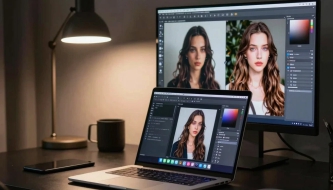






In the fast-evolving world of AI Creative design, one small but powerful feature often gets overlooked: seeds. Whether you’re generating AI images in MidJourney or creating video sequences in Runway ML, seeds can transform how you work — giving you consistency, control, and the ability to recreate your favorite results.
In this complete guide, I’ll walk you through what seeds are, how they work, and how designers can use them to improve AI-generated images and videos.
You May Also Like:
- Best sci-fi and techno fonts for futuristic design
- How to Use Negative Prompts to Improve AI-Generated Videos and Images — AI Creative Tips
- AI and the Future of Logo Design: Threat or Creative Ally?
What Are Seeds in AI Generation?
Seeds are numbers that define the randomness behind an AI-generated result. Think of them as the “DNA” of your output.
If you use the same prompt + same model + same seed, the AI will generate a similar or identical result every time.
Without a seed, the algorithm picks a random number, which is why results vary.
Why seeds matter:
They remove randomness when you need consistency.
They let you recreate or refine a previous output.
They allow you to generate variations while keeping style and structure stable.
Whether you’re making brand visuals, product mockups, or animated shots, seeds give you the creative control that every designer dreams of.
Why Seeds Are Essential for Designers
1. Consistency Across a Project
If you’re creating:
a series of illustrations,
character designs,
product variations,
or storyboard frames for video…
Seeds ensure visual continuity — same faces, same lighting, same style, same vibe.
2. Easier Iteration
Found an output you love but want to tweak it?
Use the same seed and adjust details:
change the color
modify the environment
add props
adjust composition
The design evolves without losing the original structure.
3. Perfect for Clients
Clients often ask:
“Can you recreate the same concept but with small changes?”
Thanks to seeds — yes, you can.
4. Stable Video Frames
In AI video generation tools like Runway ML, seeds help reduce:
flickering,
random style shifts,
unstable transitions.
Your animations become smoother and more professional.
How Seeds Work in Different AI Tools
MidJourney
MidJourney uses seeds to recreate compositions.
You can use:
--seed 12345
or/show <job ID> to extract the seed from a previous result.
MidJourney seeds help with:
character consistency,
repeated design styles,
multiple compositions in a unified theme.
Stable Diffusion
Stable Diffusion gives you full control over seeds.
Most UIs (Automatic1111, Fooocus, ComfyUI) include a seed box.
Options:
Fixed seed → consistent results
Seed = -1 → random generation
Seed + variations → subtle but controlled differences
Stable Diffusion is perfect when you need repeatable production work.
Runway ML and Video Tools
Video AI platforms use seeds to stabilize:
motion,
frames,
style,
subject identity.
Setting a fixed seed helps create consistent scenes throughout a video project.
Practical Tips for Designers Using Seeds
1. Save Your Favorite Seeds
Create a small database or Notion page with:
seed number
prompt
model
notes
This becomes your personal design library.
2. Use Seeds for Character Design
To keep characters consistent across multiple generations, lock in:
seed
model
basic prompt
Then change only clothing, pose, or environment.
3. Use Seed Variations for Branding Work
When exploring design directions, try:
same seed + different color palette
same seed + different typography
same seed + different objects
It saves hours of redesign.
4. For Video: Keep Seeds Stable Across Clips
When generating multiple shots:
use same seed for continuity
or adjust seed slightly (+1, +2) for small changes
This gives you cinematic consistency.
5. Test Random Seeds for Inspiration
If you’re stuck creatively, switch seed to random.
This often leads to unexpected, innovative concepts.
Common Mistakes When Using Seeds (and How to Avoid Them)
Mistake 1 — Expecting Identical Results in Different Models
If you switch from SDXL to MidJourney, the same seed number won’t recreate your image.
Seeds only work inside the same model family.
Mistake 2 — Forgetting to Save Seeds
Once you lose a seed, you lose the exact result forever.
Save them immediately.
Mistake 3 — Overusing Seeds
Seeds are great for consistency, but not for discovering new styles.
Use randomness when exploring.
Conclusion: Seeds Give Designers Creative Freedom and Control
Seeds are one of the most powerful tools in AI image and video generation. They allow you to:
recreate results on demand,
build consistent projects,
refine ideas without starting over,
stabilize AI-generated videos,
and boost your creative workflow.
If you’re serious about leveling up your AI Creative skills, mastering seeds should be at the top of your list.
Start experimenting, save your seeds, and watch how your designs become more predictable, polished, and professional.
Discover more from DesignRise
Subscribe to get the latest posts sent to your email.