
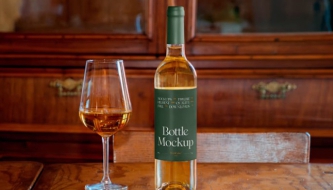


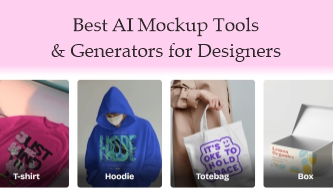
When it comes to presenting your design work, nothing beats a great mockup. Whether it’s a logo on a coffee mug, a website displayed on a sleek laptop, or packaging for a new product — mockups help your ideas feel real. They bridge the gap between imagination and presentation, showing clients and audiences exactly how a concept will look in the physical or digital world.
But creating professional mockups used to take time — a lot of it. Designers often had to rely on Photoshop templates, manually adjust layers, or purchase expensive stock mockups. Today, AI-powered mockup generators have completely transformed that process. With just a few clicks (or even a short text prompt), these smart tools can turn your flat design into a realistic visual scene — automatically adjusting lighting, shadows, and perspective.
What’s truly exciting is how accessible this technology has become. You don’t need to be a Photoshop expert or a 3D artist anymore. AI mockup tools are now so intuitive that even beginners can create professional-quality visuals in seconds. And for experienced designers, they open up new creative possibilities — letting you experiment with different product types, colors, and styles almost instantly.
In 2026, these platforms have evolved far beyond simple “mockup templates.” Many now include AI-driven customization, prompt-based scene creation, and integration with design software like Figma or Canva. Some even analyze your uploaded artwork and suggest the most fitting presentation style for your brand.
In this guide, we’ll explore the best AI mockup generators available today — from tools that specialize in product mockups and packaging, to those that create website previews and digital device displays. Whether you’re a freelancer updating your portfolio, a studio preparing client visuals, or a brand building eCommerce assets, these AI tools will help you save time, stay creative, and deliver stunning mockups faster than ever before.
When you need to present your design on real-world surfaces — product packaging, t-shirts, websites, devices — mockups make your work look polished and professional.
AI-powered mockup generators are changing the game. They let you create realistic mockups in seconds — without needing advanced Photoshop skills or manual editing.
In this guide, we’ll explore the best AI mockup generators available today for product, web, and visual designers looking to speed up their workflow and impress clients.
Explore the best AI mockup generators for designers — product mockups, web & device previews, packaging, apparel, and more. Save time and create realistic visuals using AI-powered tools.
You May Also Like:
- Most Helpful Productivity-Boosting AI Tools in 2026
- AI and the Future of Logo Design: Threat or Creative Ally?
- PSD Mockup of the Best Tea Packaging
Top AI Mockup Generators to Explore
Here’s a curated list of tools that let you generate quality mockups quickly.
1. Createimg — Free AI MockUp Generator
is a free tool that helps you turn your design into realistic product mockups (t-shirts, mugs, apparel, devices).

Best for: quick, free mockups on physical items.
Why use it: Upload your design, select the product template, and get visuals almost instantly. No heavy editing needed.
2. Mockey AI — Free Mockup Generator with Templates
offers thousands of mockup templates across many categories like apparel, devices, and accessories.

Best for: designers who want a large variety of product mockups with customization.
Why use it: It supports many categories and is easy to use for e-commerce or portfolio previews.
3. LogoAI – AI Mockup Generator
Allows you to generate mockups based on logo or brand identity input.

Best for: branding agencies or freelancers who want to showcase logos on merchandise or product packaging.
Why use it: It analyzes your logo and offers mockups that reflect the brand style.
4. ImagineArt — AI Mockup Generator
lets you type descriptions or upload images to create product & website mockups in realistic lifestyle scenes

Best for: more creative or stylized presentations, including website layout previews.
Why use it: Scenes are generated via AI prompts; you don’t have to stick to static templates.
5. MockupGenerator.ai — AI Mockup Generator
Offers 1,000+ mockup templates across 25+ categories — product, screen devices, packaging, and more.

Best for: users who need a large selection of mockups — from apparel to digital devices.
Why use it: High volume of template options; free vs pro tiers; quick exports in PNG / PSD.
6. QuillBot AI Mockup Generator
Is another accessible tool that allows prompt-based or template-based mockup creation.

Best for: quick mockups when you want to experiment with AI prompt descriptions.
Why use it: Works inside an already familiar tool (QuillBot); you don’t need separate software.
7. Phot.AI Mockup Generator
Supports creating mockups for products on platforms like Shopify, Etsy, etc — by uploading your design or using prompts.

Best for: designers preparing assets for e-commerce or digital marketplaces.
Why use it: Fast mockups that look realistic and ready to use in product listings.
Final Thoughts
AI mockup generators are no longer niche tools — they’re becoming essential for fast-paced design workflows.
Whether you need product mockups for packaging, apparel, or digital interfaces, these tools can save you hours and let you focus on concept and presentation.
Choose the ones that suit your project category, test them out with your designs, and keep a shortlist of favorites. Your next pitch or portfolio update could happen in minutes instead of days.
Discover more from DesignRise
Subscribe to get the latest posts sent to your email.